


Checks as you edit
Over a thousand color pairs, tap targets, text sizes and every page's accessibility, checked on what your components render.
Start from your website. Change anything by clicking it or saying it. Ship it as code you own.
For React, Vue and Svelte with Tailwind v4, and as tokens for SwiftUI, Jetpack Compose, Flutter and Figma.
Paste a link. It reads the site's colors, fonts, corners and borders, and turns them into a design system: palettes, type and 65 components, each step shown before you keep it. Then see it on example screens, like a dashboard. Already have one in code? npx @tesserai/cli import reads it from your project.
Just buttons like this one, every primary button, or the value everywhere it's used. 65 components and example screens follow, in light and dark.
Every proposal is checked against WCAG, Apple and Material, and in the preview, before you apply it.
Like shadcn/ui: one command writes the theme and every component into your repo, and sync keeps it current. Tokens for every other platform, native apps included.
# your app
$ npx @tesserai/cli init <link>

# after each release
$ npx @tesserai/cli sync

# anything else
$ npx @tesserai/cli export swift
Install in your project
One command sets up the theme and every component, as code you own. Try it: this is the Northwind system’s real output.
Loading…
Over a thousand color pairs, tap targets, text sizes and every page's accessibility, checked on what your components render.
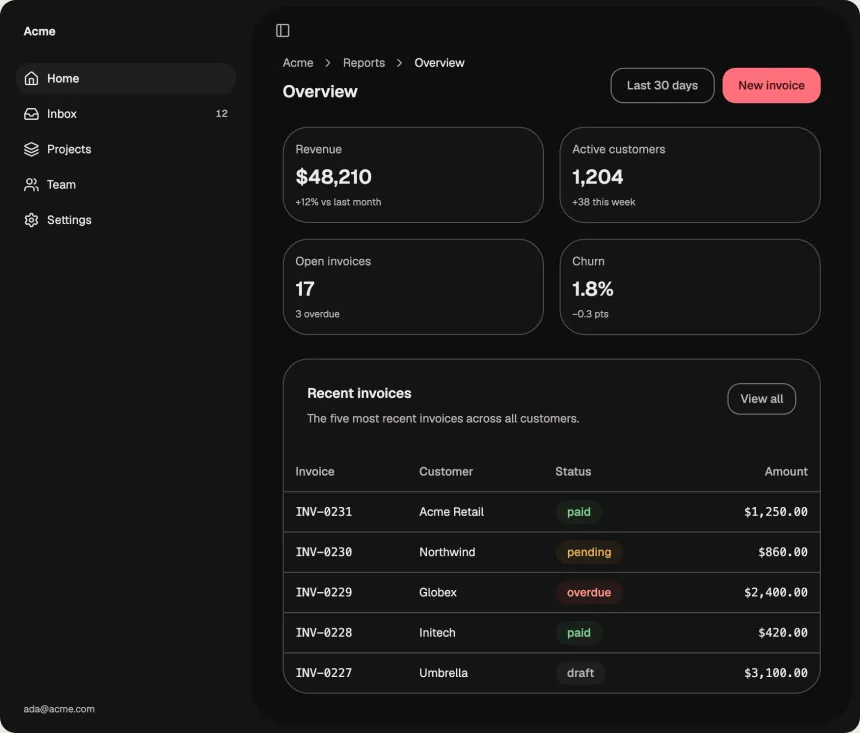
Light and dark, left to right or right to left.
See where each person is pointing and every change as it's made. Comment on anything, and whoever can edit fixes it with AI.
Notes, and a warning before anything your code imports goes away. Every shared system gets a docs site and a Storybook.
Claude Code, Cursor and others get the system as MCP tools, with the guidelines.
claude mcp add tesserai -- npx -y @tesserai/cli mcp
22 Guides, from color and contrast to tables and navigation, say what design systems have settled on and how yours compares. Free, no AI needed. Read the Guides
$0
For trying it and for systems you keep to yourself.
Price at launch
For people who build and ship systems, alone or together.
Yes. Components are written into your repo, like shadcn/ui, and nothing runs from our servers.
React, Vue and Svelte 5 with Tailwind v4: React on Base UI, Radix or React Aria, Vue on Reka UI, Svelte on Bits UI, every component in each. Tokens for everything else, native apps included.
Run npx @tesserai/cli import in your project: your colors, fonts, corners and spacing become a tesserai system, with the file and line each came from. Your code stays on your machine.
Not needed: everything works in your browser. An account keeps systems across devices and lets others see them. Download every system at once, or delete your account, whenever you like.
Start with your website, or a clean base. No sign-up, and the code is yours.